AI-Generated Videos for Young Children: What Parents Need to Know
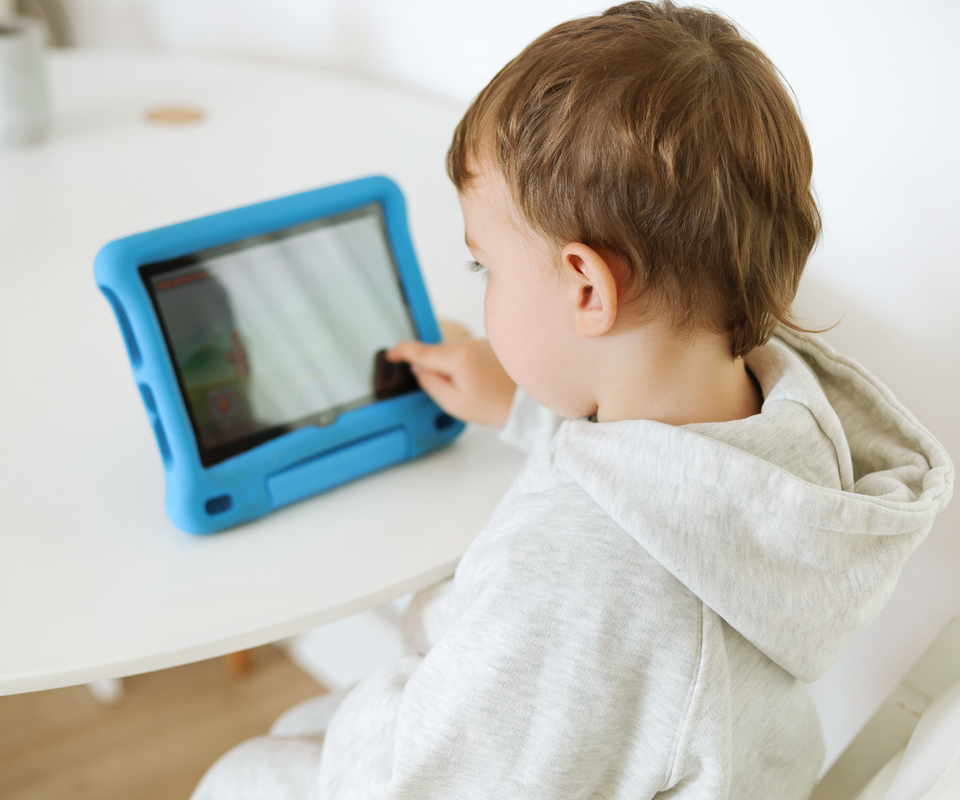
A nursery rhyme or colourful cartoon can look like an ordinary children’s video without giving parents much indication of who made it or how carefully it was checked. Generative AI tools can now produce the pictures, voices, music, and scripts for these videos, making it easier to publish large quantities of content for young children.
If your child watches videos online, what they watch is one part of deciding how screens fit into their day. This article focuses on AI-generated content on YouTube and YouTube Kids, which are widely used by families, but similar issues arise on other video-sharing platforms.
Some of this content is sometimes described as “AI slop”, a term used for low-quality material generated with minimal oversight. There’s a commercial incentive to produce it cheaply and in large quantities, because videos that attract viewers can earn advertising income. In April 2026, more than 200 organisations and experts backed a Fairplay letter calling on YouTube to label all AI-generated content and exclude it from YouTube Kids.
Parents shouldn’t have to investigate how every cartoon was made before letting their child watch it. But until platforms provide more reliable protection, choosing a small selection of familiar, carefully produced programmes is a practical way to reduce exposure to unsuitable content.
What could be wrong with these videos?
Some AI-generated videos use familiar characters or the appearance of children’s cartoons to present violent or sexualised content. Bright colours and a recognisable face can make a video look suitable before a parent or child sees what happens in it.
A May 2025 WIRED investigation found dozens of YouTube channels publishing AI-generated cartoons involving violence and sexualised imagery. One video showed a Minion-like character becoming a monster and attacking a child, on a channel advertising itself to children. YouTube removed some flagged videos and channels.
Disturbing imitations of children’s programmes predate generative AI. A 2017 BBC investigation documented inappropriate videos featuring characters such as Peppa Pig. AI now makes this kind of material easier and faster to produce, so choosing an official source is much more reliable than recognising a character.
Other videos are unsuitable because of errors or poor production. YouTube’s own quality guidance identifies misleading educational content and hard-to-follow videos as problems. It specifically notes that jumbled stories and unclear audio can result from mass production or automatic generation.
A young child learning words, numbers, or facts has less knowledge to draw on when deciding whether an explanation is correct. If a video presents mistakes as a lesson, the child is being given unreliable material at the point when they’re trying to learn. An “educational” title doesn’t establish that anyone with relevant expertise has checked it.
Children’s entertainment has plenty of room for nonsense, fantasy, and repetition. A talking animal or an impossible adventure isn’t, by itself, a reason to reject a cartoon - but the finished programme needs to be suitable for its audience and accurate where it teaches something.
Do we know whether they affect children’s development?
Fairplay and the experts who signed its letter warn about effects on children’s attention and learning, and about time spent watching these videos displacing play and interaction. How AI-generated videos affect development, including whether their effects differ from other low-quality children’s videos, is not yet clear.
Parents of course don’t need to wait for research on long-term developmental effects before avoiding videos containing graphic violence, sexualised material, or inaccurate lessons.
AI can also be used as one tool within a production that people write, edit, and review. Its use alone doesn’t tell parents whether the finished video is suitable, which is why information about the people responsible for a programme is useful.
Wouldn’t an AI video have a label?
Not necessarily - YouTube’s disclosure rules generally exempt clearly unrealistic AI-generated animation. When animated content does carry a disclosure, it can appear in the expanded description, where a young child is unlikely to notice it. Parents can’t assume that an unlabelled cartoon was made without AI.
YouTube has also introduced automatic AI labels for content its systems identify as using significant photorealistic AI. This focuses on images that look real, leaving a gap for the obviously animated videos young children often watch.
Responding to the letter in April, Google told the Associated Press that YouTube Kids restricted AI-generated content to a small selection of channels it considered high quality. The app’s own guidance nevertheless says that not every video has been manually reviewed.
What can parents do?
You don’t need to become an expert at spotting AI-generated images. A few choices about where videos come from and what plays next can reduce the amount of unfamiliar content your child encounters.
- Choose programmes from identifiable producers. Look for an official channel or service, with clear information about who makes the content. A familiar character in a thumbnail doesn’t prove that the video comes from its original creator.
- Use a small selection of videos you know. Preview unfamiliar videos before making them available to a young child, including what happens beyond the opening. Don’t rely on the title, thumbnail, or a claim that it supports learning.
- Check which app and account your child uses. YouTube Kids settings won’t protect viewing through an adult’s YouTube account. On a family TV, YouTube’s parent code can restrict access to older household members’ accounts and prevent signed-out viewing.
- Consider “Approved content only” in YouTube Kids if you use it. This lets you select the videos, channels, or collections your child can watch and prevents them from searching for others. Approving individual videos gives you a narrower selection than approving a whole channel.
- Consider turning off search. If you aren’t using “Approved content only”, disabling search in YouTube Kids limits your child to videos and channels verified by YouTube Kids. This reduces what they can access, but doesn’t guarantee that every video will be suitable.
- Check that autoplay is off. This helps prevent one chosen video from becoming a continuing stream. YouTube explains these options in its parental controls.
- Respond calmly if something upsetting appears. Stop the video, let your child explain what bothered them, and reassure them that they haven’t done anything wrong. Block and report unsuitable content through the platform.
What should platforms be doing?
These practical steps create work for parents that platforms should be reducing. YouTube already says its quality principles guide both inclusion in YouTube Kids and whether content can earn money. It should demonstrate that it enforces these standards effectively, including removing videos that disguise violent or sexualised material as children’s entertainment, checking educational claims, and acting against producers who repeatedly upload unsuitable content.
Clear disclosure should cover AI-generated cartoons as well as realistic video, and parents should have a straightforward way to exclude AI-generated content. YouTube says disclosure alone doesn’t affect a video’s recommendations or eligibility to earn money, so labels need to be accompanied by effective quality and safety checks. A toddler can’t assess a disclosure or decide whether a counting lesson is accurate, and families shouldn’t be expected to compensate for that gap on their own.
Related articles
 SAIFCA
 SAIFCA
 SAIFCA